Recognize the pump
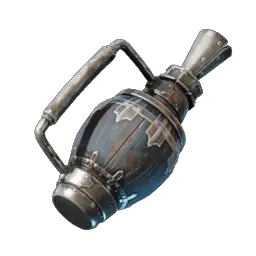
Portable Water Pump
A handheld tool from the Blacksmith chain — not a placed structure.
Since Patch 11 the pump works through aim-and-prompt controls and its old placement widget is gone. If a guide shows the pump being placed like furniture, it predates the current handling.
Craft the pump
The recipe opens after you recruit Oswald Anders and obtain Bronze Bars. Planks come from the Table Saw route.
- 2 Bronze Bars
- 1 Leather
- 4 Wood Planks
Output1 Portable Water PumpFill at the source, pour at the destination
One trip is always source first, destination second. The pump’s fill state decides which prompt you get.
A full pump stops drawing, so one trip carries one pump’s worth. For a bigger fill job, expect repeat trips or a generated-water approach instead.
Run one fill-and-pour cycle
Fill, carry, then pour — in that order.
Select and hold the pump
It works like a tool you wield, not a building you place.
Aim at a well or open water
Hold the retrieve action your HUD shows.
Fill until it stops
A full pump cannot keep drawing water.
Carry it to the destination
The water travels with the pump.
Aim and pour
Hold the pour action your HUD shows; an empty pump has nothing to pour.
When no prompt appears
Prompts depend on what you aim at and on the pump’s state. Aim at a well or open water and hold the retrieve action to fill; aim at the target spot and hold the pour action to empty. If nothing shows, check that the pump is actually selected and not already full.
Controls are configurable, so the on-screen prompt is the reference — not a fixed key copied from an older guide.
Keep pumping separate from generating
The pump moves existing water. A Water Dispenser generates new water and a Water Barrier contains it — those jobs stay with the dispenser and barrier guide.
If the real goal is feeding a crafting factory, a nearby well or a filled pouch may skip the pumping entirely — the crafting water guide compares those supply paths.
Continue your build
Sources and version
- Portable Water Pump — 0.9.1.2; updated June 29, 2026
- Changelog for Patch 11 — v0.9.0.2 — 2025-11-25
- Water mechanics after Wake of the Water — Article of October 5, 2026; states PC Steam version 0.9.1.2