Adventure sharing · visiting guide
Find and visit an Adventure Sharing world
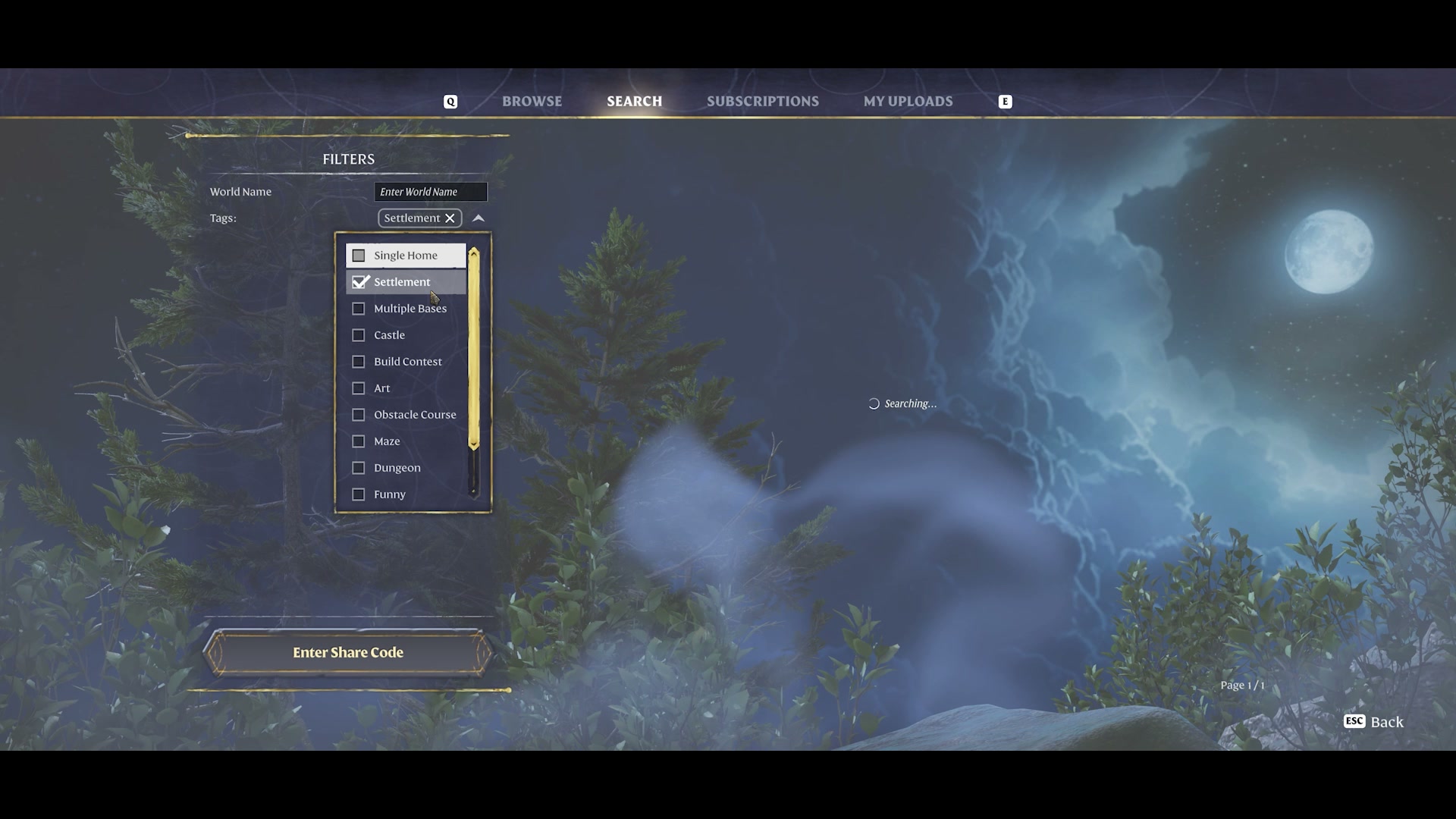
From the main play flow, select Adventure Sharing. Browse uploaded worlds, filter by tags, search by name or use Enter Share Code. Select a world, then choose a solo visit or host it for your friends. In Update 8, visiting is sightseeing: you cannot pick up items, interact with enemies or gain XP.
Released Update 8 sightseeing mode. Search images show the April 17, 2026 official demonstration; later 1.0 gameplay additions are outside this guide.
Find a creation in Search
- Choose Adventure Sharing from the game’s play flow.
- Browse the available worlds, or open Search.
- Use a relevant tag or enter the creation’s World Name.
- If a creator has given you a share code, use Enter Share Code.
- Select the world you want to open.
 Open full-size image
 For inspiration, begin with the type of build you want to inspect rather than an unrelated name. If you already know the creation, its name or shared code is the more direct route.
Choose a solo visit or host friends
After selecting the world, choose how you will enter it.
Select the world
Read its description and inspect its preview.
Choose the visit mode
Solo, or host the visit for friends.
Enter the creation
Explore the uploaded world in Adventure Sharing.
Hosting friends uses the peer-to-peer visiting option. It is different from treating this upload as your ordinary survival world. Decide whether the task is a quiet build tour or a shared sightseeing session before opening it.
Know what the current visit allows
| During an Update 8 visit | Current behaviour |
|---|---|
| Explore the creation | Sightseeing is the intended activity. |
| Pick up items | Not available. |
| Interact with enemies | Not available. |
| Earn XP | Not available. |
| Paste a building into an existing save | Not what a shared world upload provides. |
Use the visit to answer a building question
Look at the layout that matters to your next build: the entrance, the transition between rooms, the workshop arrangement or the way a larger structure reads from the arrival point. As a tour suggestion, follow one route through the creation before comparing individual details.
A preview image can show the landmark without explaining how visitors reach it. The chosen visitor starting point helps you understand the creator’s intended route. Keep observation separate from assuming that an attractive room demonstrates an exact crafting recipe or an interactive puzzle.